
What Is a Court Docket in Coal County
A docket is the official, date-ordered list of every filing and event in a court case. The Coal County Court Clerk maintains an appearance docket for each case filed in District Court, and that appearance docket is what most online searches return. It logs the petition or charge, the summons, motions, hearings, orders, continuances, judgments, and any payment activity. The docket points to the documents but is not the documents themselves, so it reads as a timeline rather than a stack of pages.
Coal County District Court cases post to the statewide Oklahoma State Courts Network, known as OSCN, which keeps a direct page for the county. The county also links On Demand Court Records, or ODCR, as its public "Court Records" search. The OSCN Coal County page collects the local docket index in one place, reachable at the OSCN Coal County court page.
The docket is not the full case file. The complete record holds the actual motions, exhibits, and signed orders, and parts of it may require a fee or a counter visit. The table below sorts the two.
| Docket | Full Case Record | |
|---|---|---|
| Format | Date-ordered list of entries | The actual filed documents |
| Access | Usually online and free on OSCN or ODCR | May require a fee, login, or clerk visit |
| Best use | Track case progress and court dates | Legal review, certified copies, evidence |
How to Search Coal County Court Dockets
Docket searches run by party name, by case number, or by case type. OSCN and ODCR both accept a party name, while a case number jumps straight to one docket. The Oklahoma case-number format uses a prefix, year, and sequence, such as CF-2014-1 for a felony. When a name returns too many hits, a case-type filter narrows the list to probate, family, criminal, small claims, or traffic.
The steps below move from the county-linked portal to the statewide system and then to filters that trim the results.
- Open ODCR, choose Oklahoma District Courts, select Coal, and search by party name as Last, First or by a full case number.
- For the statewide index, open OSCN and select Coal County District Court in the County or Court menu, then enter a name, case number, or filed-date range.
- Add a District Court case type, such as Probate, Family and Domestic, Criminal Felony, or Small Claims, to cut a long result list.
- Open the matching case to read its appearance docket, where each entry appears in date order with hearings and orders.
- For a docket too old to appear online or a certified copy, contact the Court Clerk at 580-927-2281 or visit 4 N Main Street.
A party-type filter sharpens a name search when the same person appears as both a defendant in one case and a witness or petitioner in another. Both portals also accept filed and closed date ranges, which help when a common name returns dozens of cases across many years. Resist over-filtering, since a tight set of filters can hide a case that uses a different spelling, a maiden name, or a middle initial. Start broad, confirm the right case, then open its docket.
Sample Coal County Docket Entry
Each line on an appearance docket follows the same shape, so once the layout is clear the whole case becomes easy to follow. An entry pairs a date with an action, names the party or document where shown, and sometimes carries a financial note or a court date. The table lists the fields a Coal County docket entry commonly displays.
| Field | What It Shows |
|---|---|
| Entry Date | The date the filing or event was recorded on the docket. |
| Event or Filing Type | The action logged, such as petition, motion, order, hearing, or warrant. |
| Filing Party | Which side or person submitted the document, where shown. |
| Description | The short text of the entry, often using minute or document language. |
| Hearing or Judge | The scheduled event, court date, or judge assignment where listed. |
| Financial Action | Costs, fines, bond, restitution, or a payment-plan entry tied to the case. |
| Document Image | A linked or paywalled scanned document on ODCR, where available. |
Hearings and continuances appear as their own entries on the appearance docket. The full motions and orders behind those lines live in the Coal County court records file kept by the clerk, while the docket itself stays a quick index of what has happened and what comes next.
Reading Coal County Docket Events
Docket language is terse, and a few signals carry most of the meaning. Oklahoma case numbers flag the case type before any entry is read. CF marks a felony, CM a misdemeanor, CV or CJ a civil matter, FD a family or divorce case, PB a probate, SC small claims, TR traffic, and PO a protective order. Spotting the prefix tells a reader what kind of case the docket belongs to at a glance, which helps when a single name pulls several cases at once.
The entries then move a case along in steps. A criminal docket often runs from filing to arraignment, plea, hearings, and disposition, while a civil docket runs from petition and answer through motions and judgment. A run of continuances is normal, a bench warrant signals a missed obligation, and a satisfaction or release shows a debt has cleared. The short definitions below cover the terms that confuse readers most.
- Appearance docket
- The official, date-ordered list of appearances and proceedings the Court Clerk keeps for each case.
- Continuance
- An order moving a hearing to a later date, common in an active case.
- Disposition
- The current or final outcome of a charge or claim, such as a plea, dismissal, or judgment.
- Bench warrant
- A warrant a judge issues, often after a missed court date or an unpaid balance.
Daily Docket and Event Reports
Beyond single-case lookups, OSCN publishes court-wide docket and filing reports. These are useful for confirming what is set on a given day or scanning recent filings without a name in hand. The reports draw from the same District Court data as the case search, organized by judge, case type, event, or county. The main report options OSCN lists include the following.
- Civil Cases with Trial Dispositions.
- Daily Docket, all events, for a specific judge.
- Daily Docket, all events, for a specific judge and case type.
- Daily Docket, all events, for a specific case type.
- Daily Docket for a specific event.
- Daily Filings by County.
These reports help attorneys, reporters, and self-represented parties plan around a court day. A judge-specific daily docket lists every case set before that judge, and a Daily Filings by County view shows what opened recently without needing a name. They summarize activity rather than replace a case file, so a flagged entry still leads back to the individual docket for the detail.
Traffic Citation Dockets in Coal County
Traffic cases filed in District Court carry their own dockets and their own search path. OSCN offers a "Search by Traffic Citation" tool that works for District Court citations only, using the citation number printed on the ticket. It does not reach Coalgate municipal citations, which run through the city's separate municipal court under the City Charter. Confirm whether a ticket is a District Court or a municipal matter before searching, because the two systems do not share a docket.
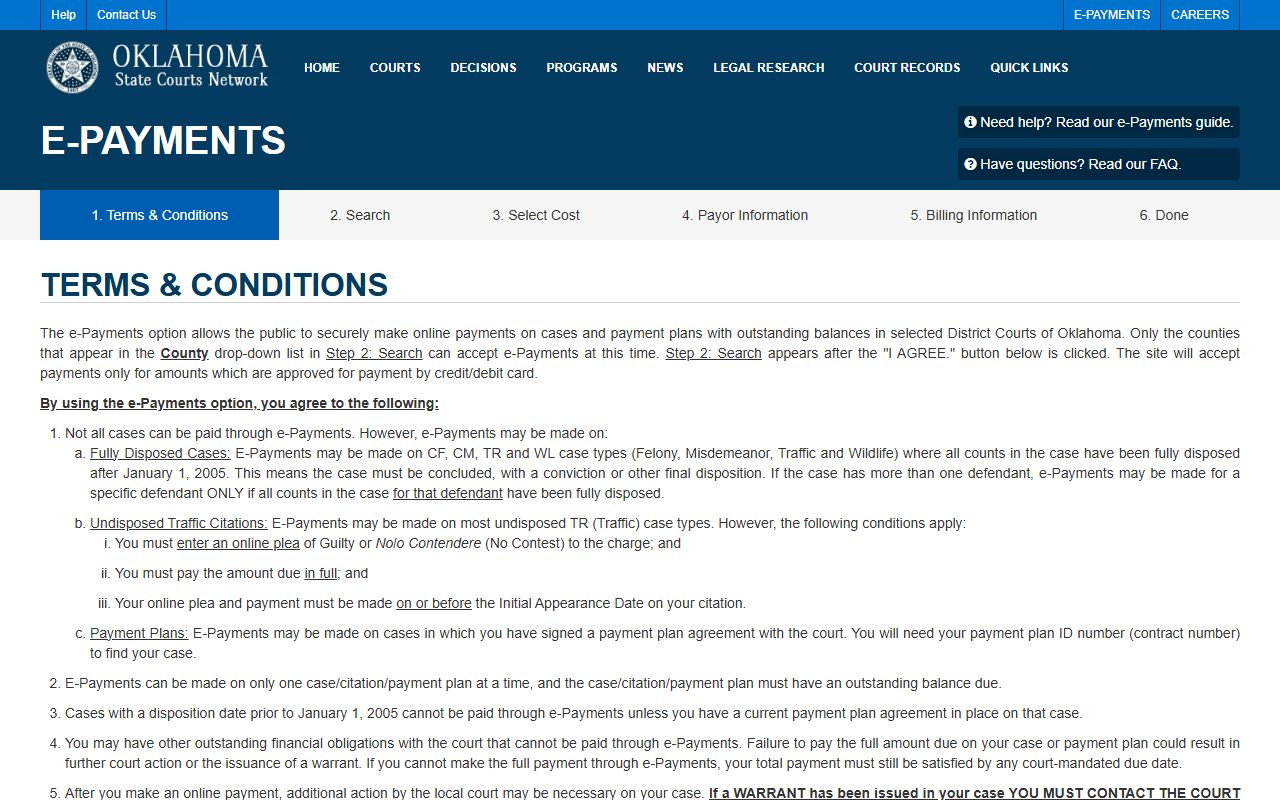
When the goal is payment rather than research, OSCN e-Payments handles approved balances for selected Oklahoma District Courts. The e-Payments terms page explains which courts and balances qualify, viewable at the OSCN e-Payments page.
A traffic docket shows the citation, the charge, the court date, the plea, the disposition, and any fine, cost, or warrant tied to a missed appearance. For DUI and other criminal traffic charges, the docket links into the full criminal case rather than a simple ticket.
Paying a Coal County Docket Balance Online
OSCN e-Payments searches by a single identifier and then shows any payable balance. The search accepts a case number, a citation number, or a payment-plan number, with example formats supplied on the page. Reading the docket first confirms the case is fully disposed and that paying will not waive a defense. The OSCN e-Payments search opens after a terms screen at the OSCN e-Payments search page.
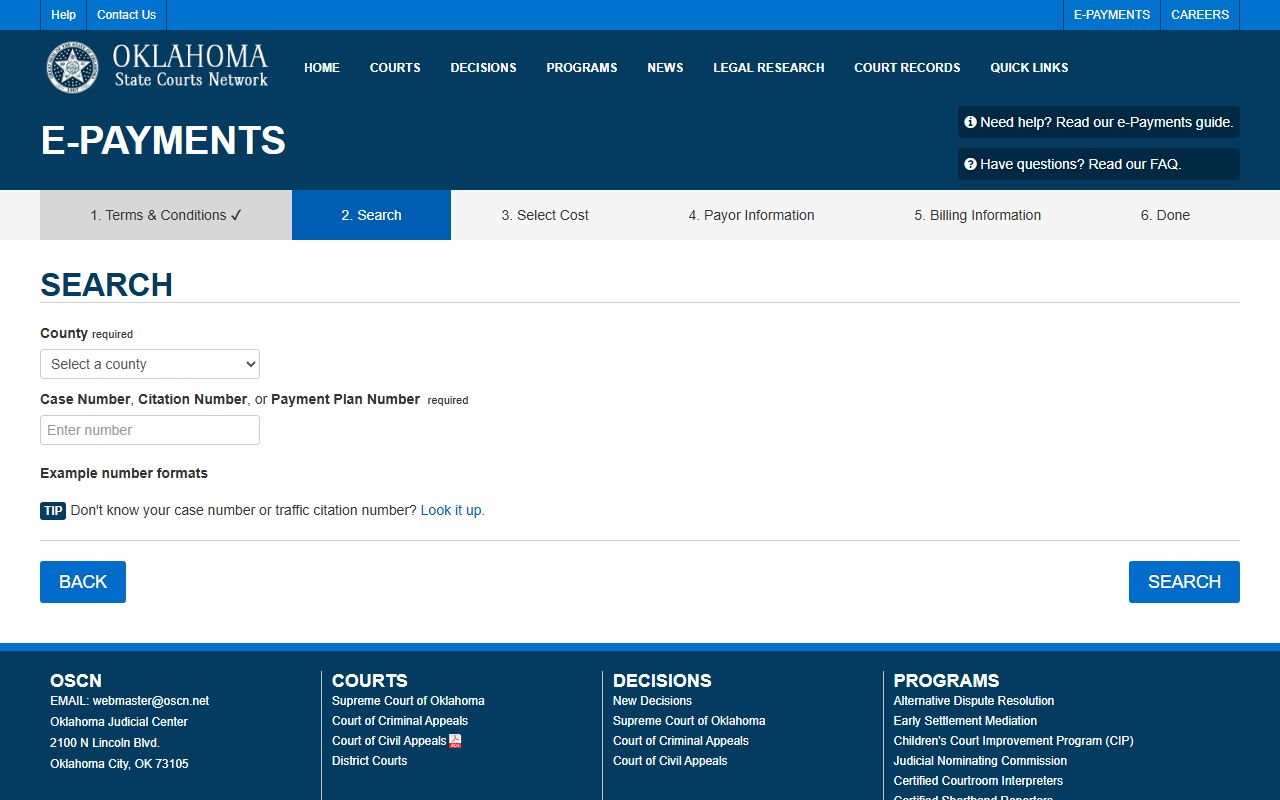
The table lists the fields on the OSCN e-Payments search.
| Field Label | Type | Required | Notes / Format |
|---|---|---|---|
| Case, Citation, or Payment Plan Number | Text | Yes | Examples: CM-2017-100; PP-OK-2019-25; M972124. |
| Search | Button | Yes | Runs the payment lookup after the terms screen. |
| Back | Button | No | Returns to the prior page. |
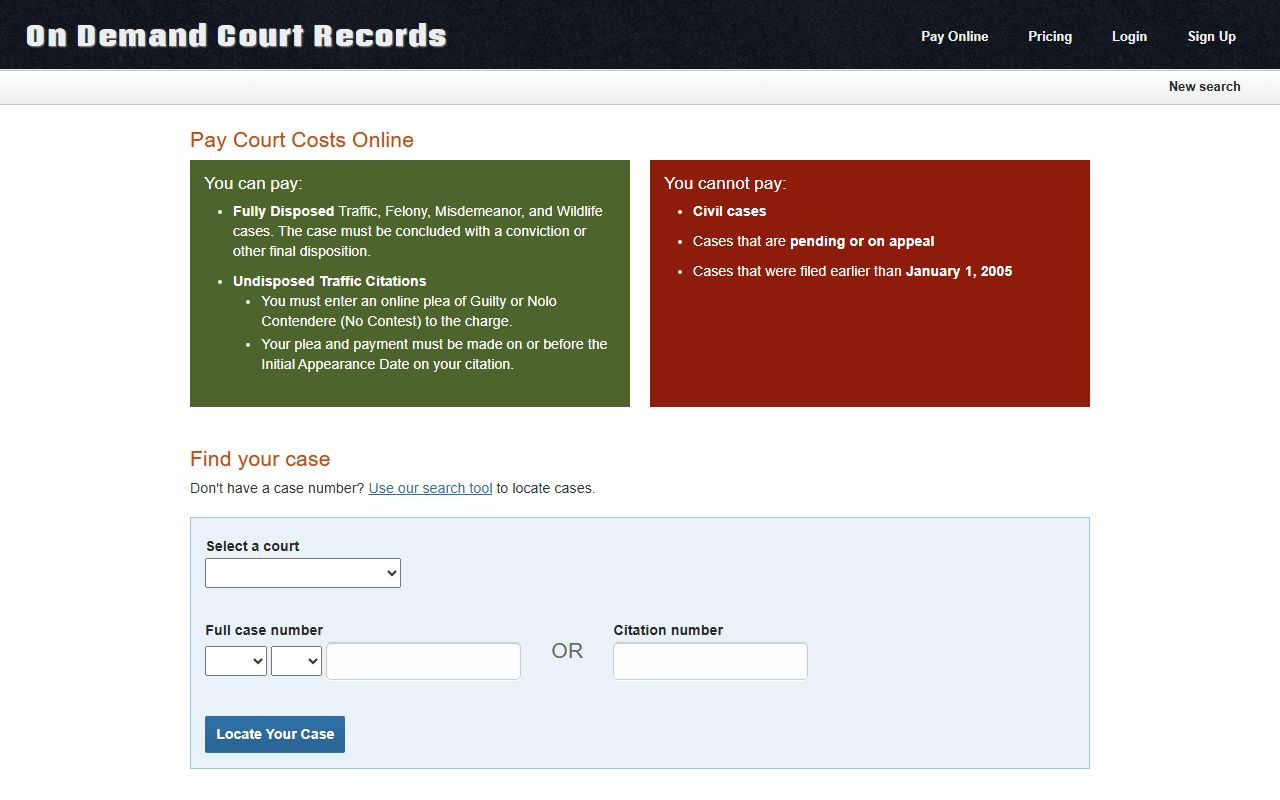
ODCR runs its own payment path for participating courts. Its pay page explains that fully disposed traffic, felony, misdemeanor, and wildlife cases may be payable, while an undisposed traffic citation may require an online guilty or no-contest plea by the initial appearance date. The ODCR payment rules sit at the ODCR pay page.
A warrant recall can lag behind a payment, so a paid ticket does not always clear a bench warrant the same day. Confirm clearance with the court before assuming the matter is closed.
Online Docket Limits and the Court Clerk
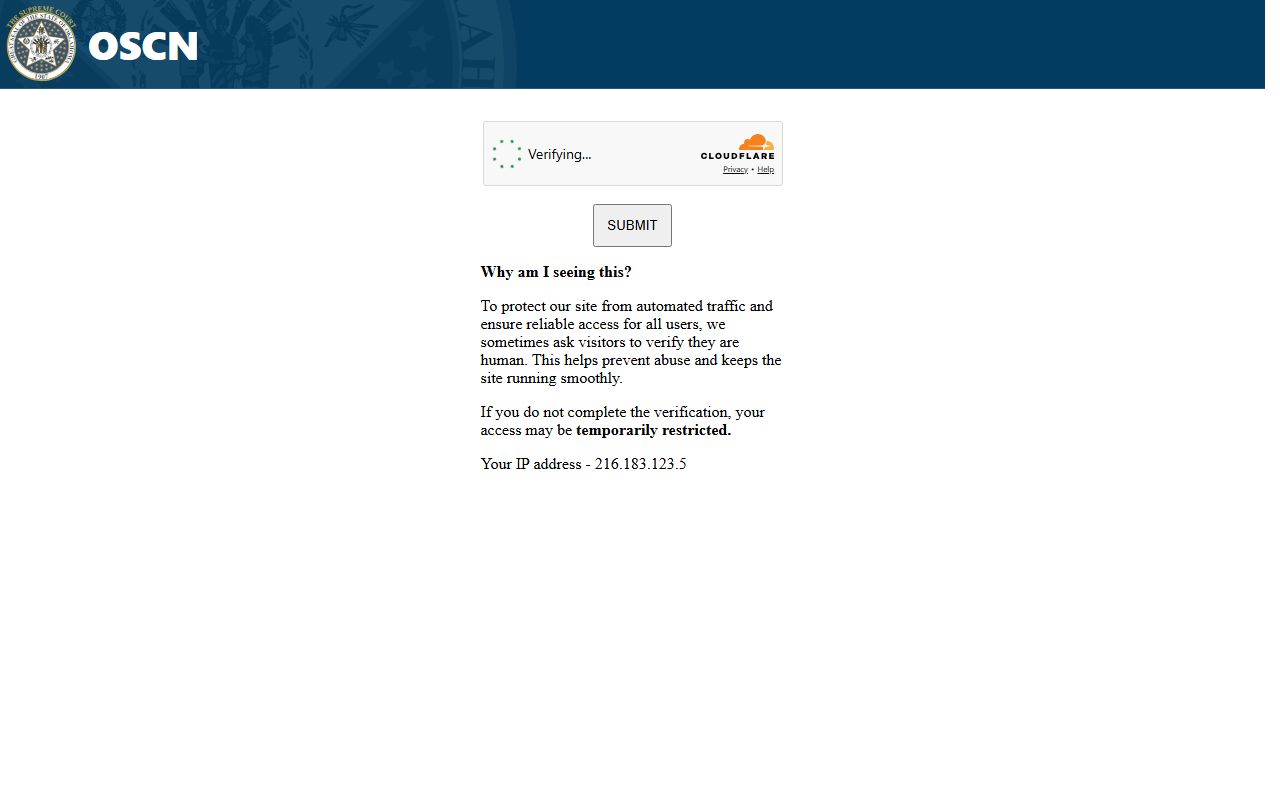
Online dockets are convenient but not complete. OSCN runs an anti-automation check, a turnstile, on some routes, and public access can be interrupted by that verification or by temporary restrictions. Sealed cases, juvenile matters, and active investigations may not show full entries, and the visible docket is never a substitute for the official case-management record.
For records too old to appear online, sealed files, certified copies, or anything the portals do not display, the Coal County Court Clerk holds the official file. Requests for certified docket sheets or case documents go to the clerk's office during business hours, where staff can pull the paper or imaged record that the public portals leave out.
Note: If OSCN shows a verification screen or a search stalls, wait and retry or use ODCR, since the public portals can throttle automated access.